
 Home
Home PC
PC PlayStation
 Xbox
Xbox Nintendo Switch
 Mobile
 Esports
 Anime and Manga

Unlocking Romance and Marriage with Serana, the Dawnguard DLC Vampire

Skyrim remains an iconic RPG, offering a vast realm for players to explore, fight mythical beasts, and even create lasting relationships. While marrying certain characters is an option, Serana, a prominent vampire from the Dawnguard DLC, garners attention. This guide elucidates how players can wed Serana, unlocking the potential for a family with this beloved character through modding.
How to Romance and Marry Serana in Skyrim
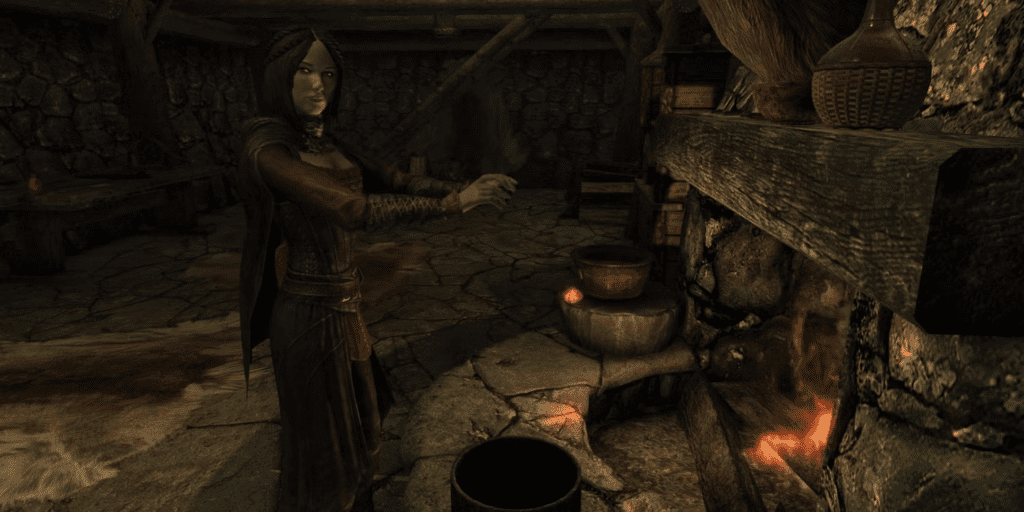
Serana stands as a vampire companion within the Dawnguard DLC, a character players cannot traditionally marry in vanilla Skyrim. However, with the Marriable Serana mod by C0drm0nk33 available on Nexus Mods, players can expand their options for matrimony. To initiate this process:
- Ensure the Dawnguard DLC is installed or have the Special or Anniversary Edition of Skyrim.
- Visit Nexus Mods, locate the Marriable Serana mod, and download the files.
- Extract the downloaded folder’s contents into the game folder. (For Steam users: Locate Skyrim in the library, right-click, select Manage, then Browse Local Files)
- PS4/PS5 or Xbox Series users can also mod the game using the in-game mod menu.
After successfully installing the mod, players can proceed to marry Serana.
To marry Serana, initiate the Bonds of Matrimony quest by speaking to Maramal at the Temple of Mara in Riften. Obtain the Amulet of Mara by completing The Book of Love quest, purchasing it for 200 gold from Maramal, or finding it as random loot. Ensure completion of the Kindred Judgment Quest and Serana’s mother, Valerica, is aware that it’s safe for her to return.
Wear the amulet and engage Serana in conversation; a proposal option will become available. Upon receiving a positive response, return to the Temple of Mara and request the wedding ceremony. Soon after, players will be notified of the ceremony, which they should attend. After marrying Se-rana, players can reside together, earn gold, and enjoy daily meals cooked by their new spouse.
For the latest gaming Guides, Updates and News, don’t forget to visit our dedicated gaming page. GAMING GUIDES Stay informed and level up your gaming experience with our fresh content!




