The update includes several features from the latest PS5 beta, along with some newly announced additions that will surely elevate your gaming experience.
New Accessibility Features:
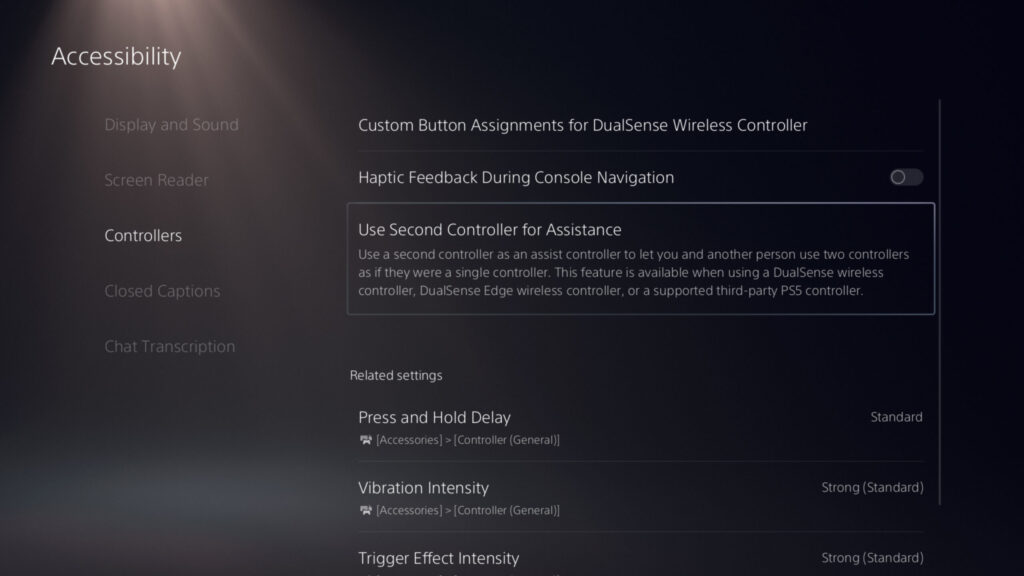
One of the highlights of this update is the introduction of new accessibility features. Gamers can now use a second DualSense controller for assistance. This feature allows for collaborative gameplay or helping others through challenging sections. To activate it, navigate to [Settings] > [Accessibility] > [Controllers] > [Use Second Controller for Assistance]. It’s a game-changer for those who want to enjoy games in a new way.
Enhanced Audio Experience:
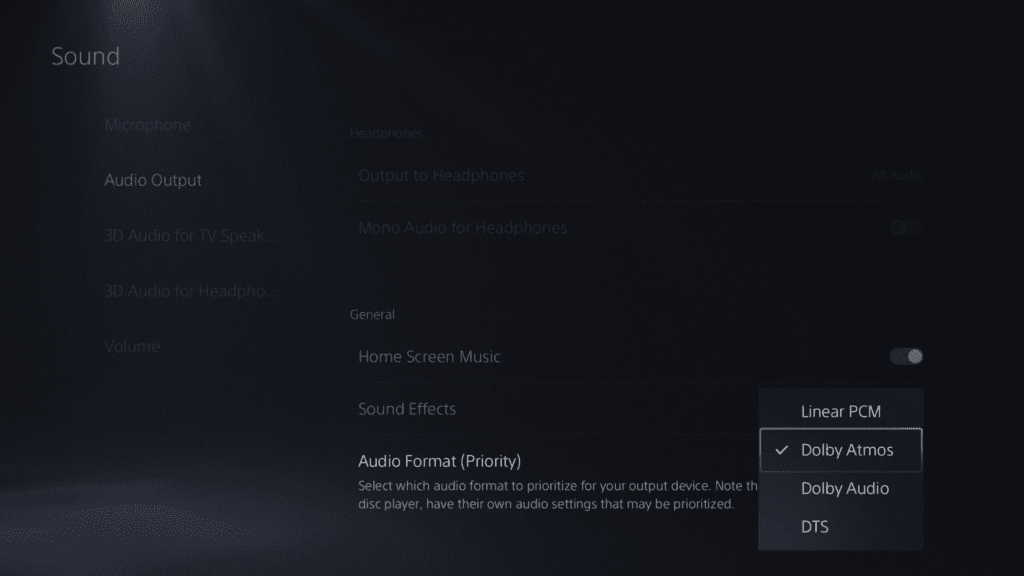
Sony has also introduced new audio options, bringing 3D Audio powered by Tempest 3D AudioTech to compatible Dolby Atmos-enabled HDMI devices. This enhancement offers a more immersive auditory experience. To enable it, go to [Settings] > [Sound] > [Audio Output] > [Audio Format (Priority)], and select [Dolby Atmos].
Improved Social Features:
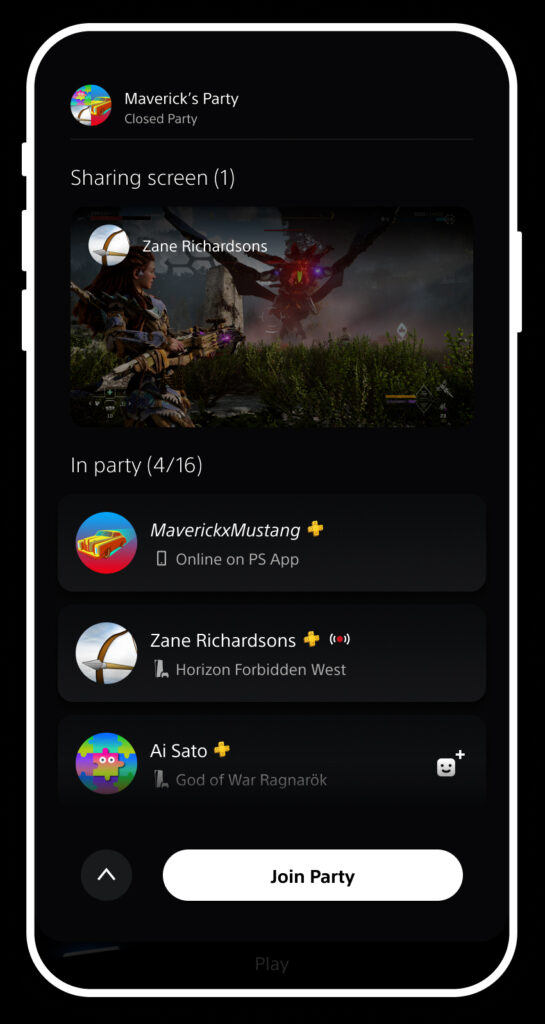
The PS5 update focuses on enhancing social interactions. The Party UI has received an update that allows you to invite players to a closed party without automatically creating a new group. You can now send open or closed party invitations to groups, making it more convenient. Additionally, a share screen preview feature lets you see what others are sharing in a party before joining.


PS Remote Play Expansion:
Sony is expanding PS Remote Play support to more Android devices, giving you the freedom to stream games from your PS5 or PS4 console to various devices, including smartphones, tablets, PCs, and Mac. This feature is now available on Android TV OS 12, opening up even more possibilities for gaming on the go.
Voice Command Improvements:
For users in the U.S. and U.K., Voice Command has been improved. You can now use voice commands like “Hey PlayStation, help” to access help content and navigate between pages. Additionally, saying “Hey PlayStation, what’s new?” allows you to check for new PS5 features and view the current PlayStation Plus monthly games lineup.

PS App Enhancements:
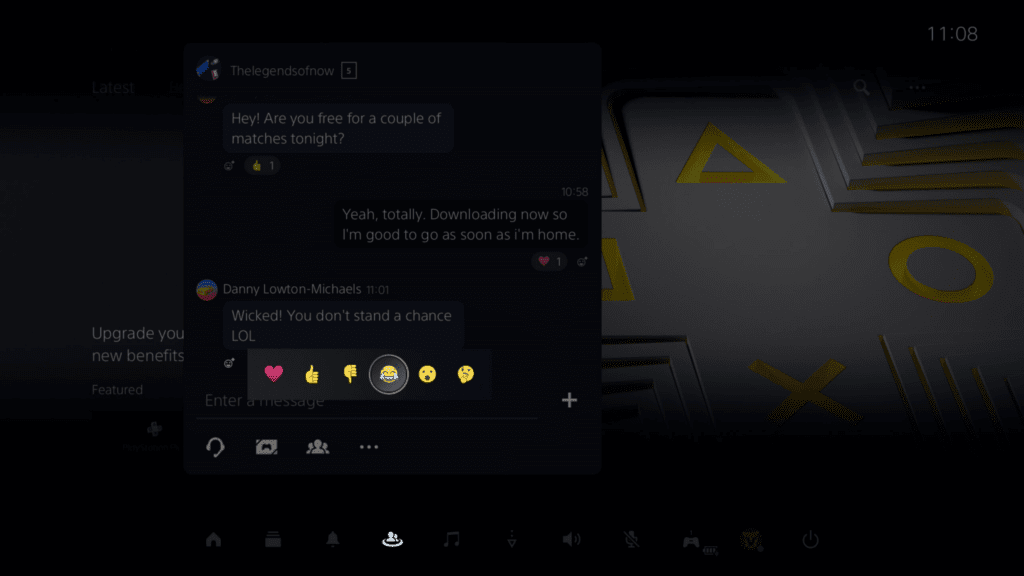
The PS App will also receive new features, such as the ability to react to messages with emojis and preview someone’s Share Screen before joining a party. These updates will enhance your mobile gaming experience.
Support for Larger-capacity M.2 SSDs:
Sony is expanding storage options for PS5 owners by increasing the supported M.2 SSD capacity from 4TB to 8TB. This means you can store more games and content on your console without worrying about running out of space.

Additional Ease-of-use Features:
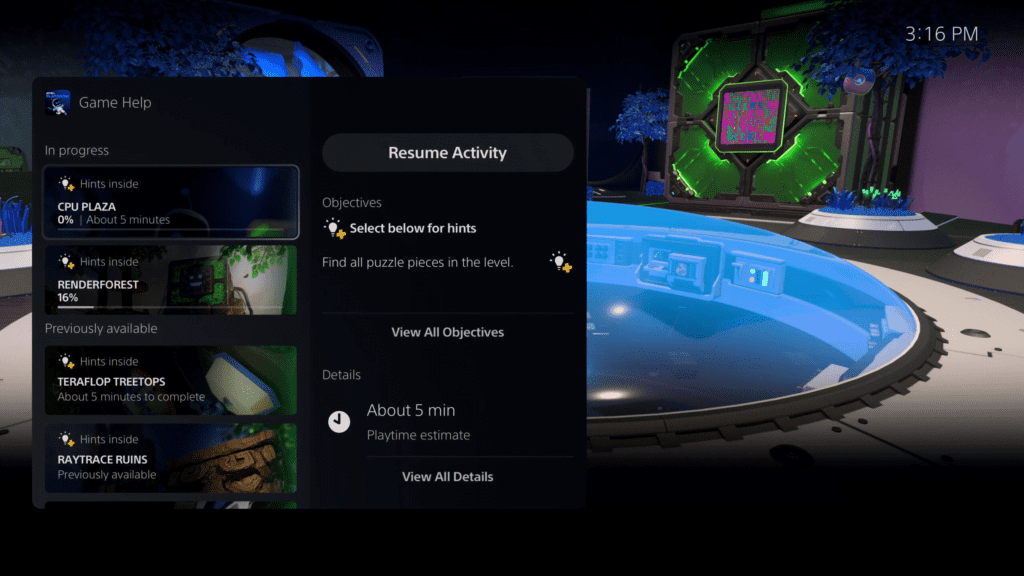
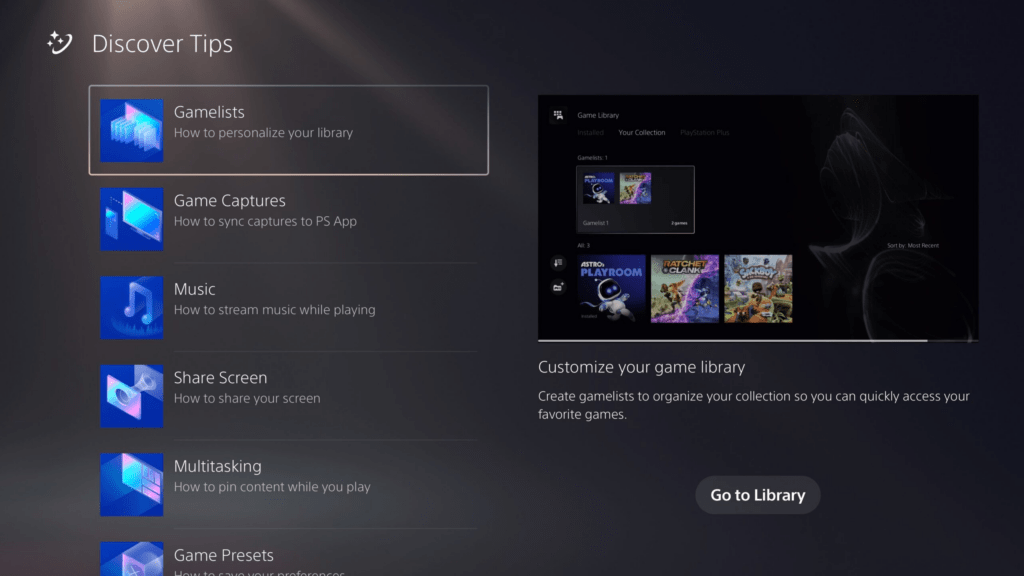
The update introduces several ease-of-use features, including the ability to search for games in your library, improved Game Help cards, and a new Discover Tips section for learning about PS5 features and getting the most out of your console.
You can also mute or adjust the PS5’s beep sound when turning it on or off or putting it in rest mode, giving you more control over your gaming experience.
In summary, this global PS5 system software update brings an array of exciting features and improvements to enhance your gaming, accessibility, and social experience. Whether you’re expanding your gaming horizons with PS Remote Play or enjoying improved audio through Dolby Atmos support, this update is designed to make your PS5 experience even better.