
 Home
Home PC
PC PlayStation
 Xbox
Xbox Nintendo Switch
 Mobile
 Esports
 Anime and Manga

If you’ve been itching to join a thrilling heist in Payday 3 but find yourself plagued by frustrating matchmaking errors like “Matchmaking Error” and “Server Disconnected,” don’t fret. These issues are a common occurrence, especially during the early stages of a game’s launch, and they can be a real nuisance. In this guide, we’ll walk you through how to troubleshoot and fix matchmaking errors in Payday 3, so you can get back to the action-packed heists without interruption.
How to Address Payday 3 Matchmaking Errors
When you encounter the dreaded “Matchmaking Error” and “Server Disconnected” messages while attempting to join a heist, it’s essential to understand that the problem can be attributed to several factors, including server instability and, in some cases, issues with your own network. Here’s a step-by-step guide to help you tackle these pesky matchmaking errors:
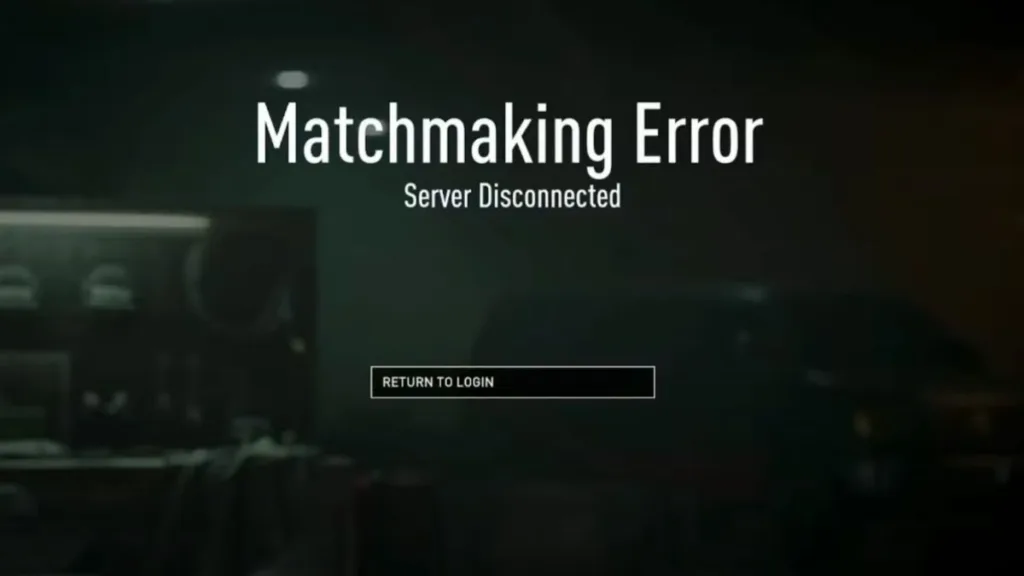
- Stay Updated: Begin by checking the official Payday Twitter account for any announcements regarding server issues or outages. The developers often use their Twitter feed to keep players informed about ongoing problems.
- Community Insights: Visit the Steam discussion forum for Payday 3 to see if other players are experiencing similar matchmaking errors. Sometimes, fellow gamers may offer insights or workarounds to address the issue.
- Wait It Out: Servers can occasionally become overloaded, temporarily preventing you from joining heists. In such cases, exercising patience and waiting for a few minutes may resolve the problem as server loads normalize.
- Restart and Troubleshoot: If the issue persists, try restarting both your game and your network connection. Sometimes, a simple refresh can clear up connectivity problems.
- Antivirus Permissions: Ensure that your antivirus software isn’t blocking Payday 3 from accessing the internet. Adjust your antivirus settings to allow the game to connect without hindrance.
- Contact Support: If all else fails, consider reaching out to the Payday 3 support team for further assistance and troubleshooting guidance.

Remember that Payday 3 relies on online matchmaking for gameplay, so addressing these matchmaking errors is crucial to enjoying the game. It’s worth noting that these issues are typical during a game’s initial release, and developers often work diligently to stabilize servers and improve player experiences over time.
Conclusion:
In summary, tackling matchmaking errors in Payday 3 involves a combination of checking for official announcements, seeking community insights, waiting for server loads to balance, restarting your game and network, ensuring your antivirus isn’t blocking the game, and, if necessary, contacting support. As the game matures and receives updates, server stability is likely to improve, resulting in a smoother gaming experience.
We’d love to hear about your experiences with Payday 3’s matchmaking errors. Which solution worked best for you, and on which gaming platform are you enjoying the heists? Share your thoughts and early-access experiences in the comments below.




