


Learn the art of road upgrades and traffic optimization in Cities: Skylines 2, the city-building simulation game that puts road size and management at the forefront.

In Cities: Skylines 2, a city-building game reminiscent of the SimCity series, traffic management is at the core of urban planning. Ensuring smooth traffic flow while minimizing noise and air pollution is essential. One of the most valuable tools at your disposal is the ability to upgrade and replace roads, making traffic management more efficient without having to redraw your city from scratch. This feature builds on the original game’s capabilities, making road upgrades even more user-friendly.
Upgrading Roads: A Key Tool for Traffic Management
In Cities: Skylines 2, roads come in three sizes: small, medium, and large. Additionally, players have access to highways, a special road type available in all sizes. To transform an existing road into another type of the same size, follow these simple steps:
- Open the road construction menu and select the desired road type.
- Activate the “Replace” tool mode.
- Click on the road segment you want to upgrade.
This process works seamlessly when upgrading to the same-sized road type. If you’re transitioning to a one-way road, click and hold while indicating the desired direction.
Challenges of Upgrading to Wider Roads
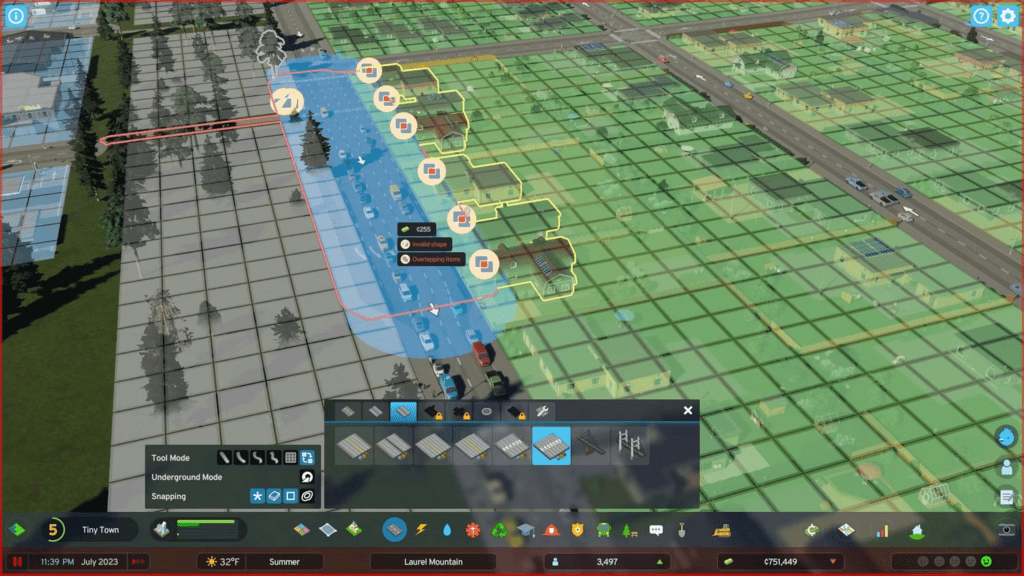
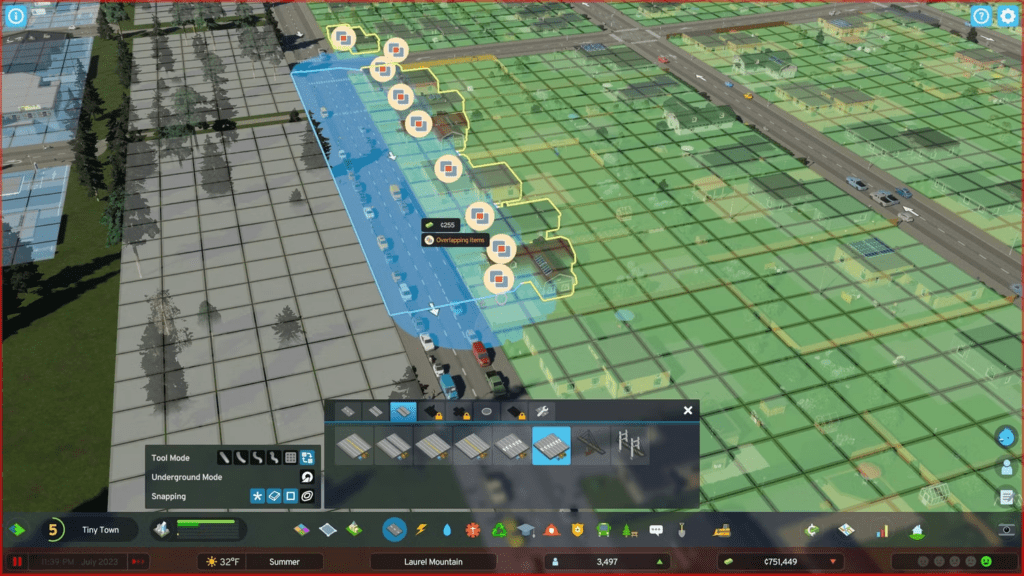
Upgrading a narrow road to a wider one can be more complex. The new road may overlap with adjacent buildings and structures, requiring you to make room for the expansion. While the game automatically removes zoned buildings in the way, other structures must be handled manually.
Sometimes, you may encounter situations where the upgrade isn’t straightforward. For example, upgrading a two-lane road to a six-lane road may pose challenges if it overlaps with a pedestrian path. Since pedestrian paths are not classified as roads, you’ll need to demolish the path and replace it afterward if you wish to proceed with the upgrade. The game highlights this issue with warnings such as “Invalid Shape” and “Overlapping Items,” both displayed in red.
To address such challenges, use a new feature that allows you to expand the upgrade selectively, either on the left side, right side, or both sides. This feature helps avoid conflicts with zoned buildings. As a best practice, consider placing civic buildings on one side of a road if you plan to expand it in the future.
Maintaining Road Upgrades from Other Sources
When upgrading roads, any previously added enhancements or road assets will remain intact, provided that the new road type supports these upgrades. For instance, if you replace a road with trees and a tram line with a pedestrian road, the tram line will persist while the trees vanish.
Highways: A Unique Road Type
Highways are distinct road types with several unique characteristics. They allow faster traffic flow than any other road type. However, highways do not support building zones, and they don’t serve as road connections for civic buildings. Moreover, highways don’t carry essential utilities such as water, sewage, and low-voltage power lines, which are typical for other road types. This means that when connecting highways, you must manually add pipes and power lines.
Keep in mind that highways are noisier than other roads, so use them judiciously, especially when replacing existing roads.
Upgrading Intersections
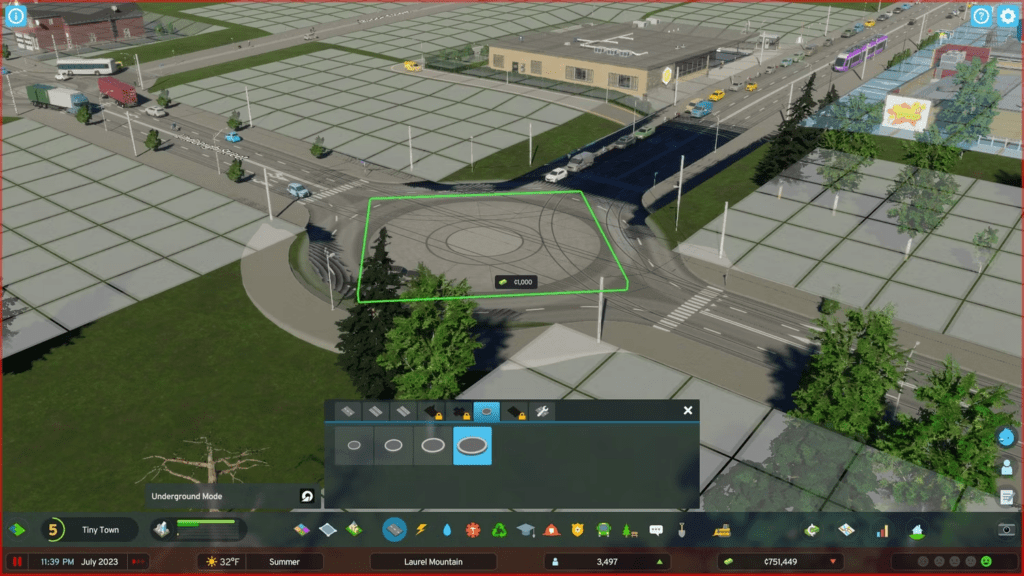
In Cities: Skylines 2, you can also fine-tune intersections to optimize traffic flow. The game offers four intersection types: right-of-way yield, roundabouts, stop signs, and stoplights.
Right-of-way yield: This is suitable for remote and rarely used intersections where vehicles on the narrow road must yield to vehicles on the wider road or to vehicles making turns.
Stop signs: Ideal for low-traffic intersections where vehicles are likely to approach from any direction, as all vehicles must come to a stop.
Stoplights: These work well for moderate-traffic intersections, but they may lead to traffic pile-ups.
Roundabouts: Best for high-traffic situations, roundabouts keep traffic flowing smoothly. However, they require more space than standard intersections and might not entirely eliminate traffic jams.
You can change the type of an existing intersection by selecting the desired type from the Roundabouts or Advanced Road Services tab and then clicking on the intersection. While roundabouts may require adjusting civic buildings and paths to create sufficient space, the other intersection types can be applied more flexibly.
Redefining Road Verges
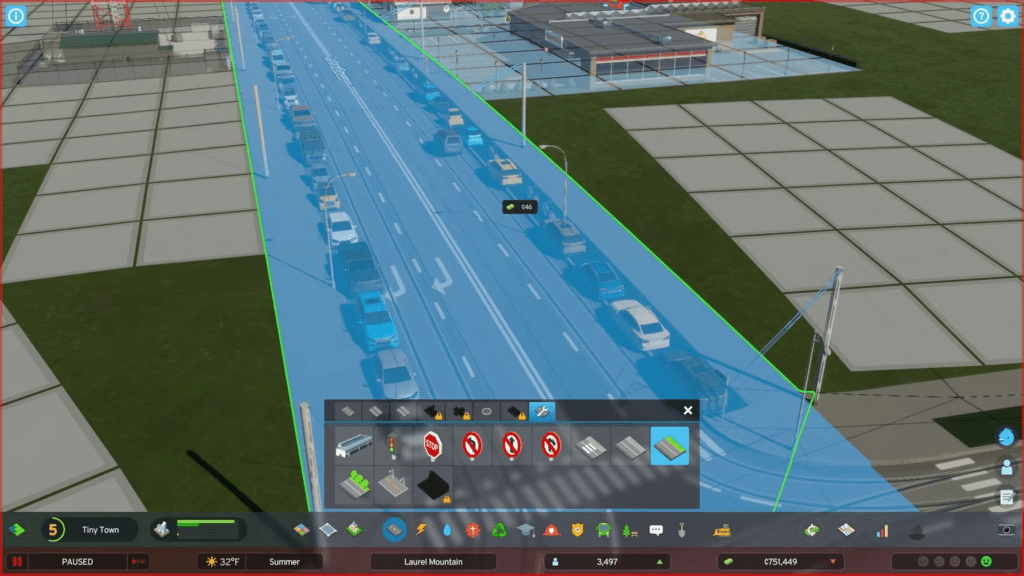
Cities: Skylines 2 introduces road verges, allowing you to replace the parking space along the roadsides with grass, trees, or an extended sidewalk. This change can help prevent roadside parking issues, which can disrupt traffic flow and lead to congestion. If you choose to remove parking space, consider compensating with dedicated parking lots to maintain convenience.
Fine-Tuning Road Features
The Advanced Road Services tab also provides options for creating pedestrian crossings and adding streetlights to streets that don’t typically have them. This tab also electrifies upgraded roads, enabling them to carry low-voltage power, facilitating utility connections.
The final upgrade in the tab unlocks along with highways, allowing you to add sound barriers to highways to reduce noise pollution.
Cities: Skylines 2 offers an array of road management tools that empower you to optimize traffic flow, enhance aesthetics, and minimize disruptions. Mastering these tools is essential for building a thriving and efficient city.
For the latest gaming Guides, Updates and News, don’t forget to visit our dedicated gaming page. GAMING GUIDES Stay informed and level up your gaming experience with our fresh content!



