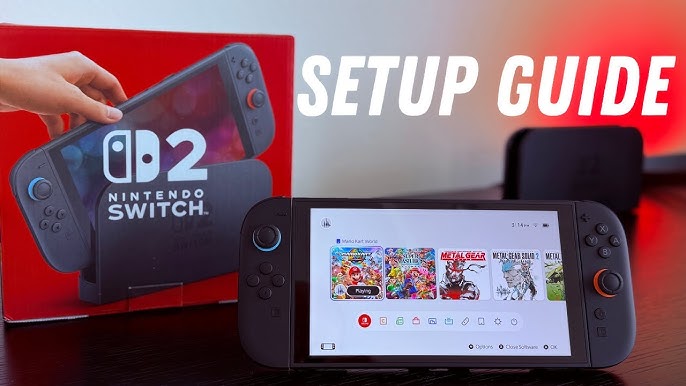

Getting Started with the Nintendo Switch 2 Setup Guide
The Nintendo Switch 2 setup guide is essential to unlock the full potential of your console, and in this article, we will walk you through the best settings to improve performance and battery life. To begin, it’s crucial to understand the various settings available on your Nintendo Switch 2 and how to tweak them to your advantage.
Before we dive into the nitty-gritty, make sure you have the latest firmware update installed on your console. This will ensure that you have access to all the latest features, including the Handheld Mode Boost, which can significantly enhance the performance of your Switch 1 games.
Optimizing Performance
To optimize performance on your Nintendo Switch 2, follow these steps:
- Go to System Settings > Display and adjust the brightness to a comfortable level. You can also enable Auto-Brightness to let the console adjust the brightness automatically.
- Turn off HDR to reduce battery consumption and improve performance.
- Switch from 120Hz to 60Hz to reduce battery consumption and heat generation.
- Enable the “Stop Charging Around 90%” feature to promote extended battery lifespan.
By following these steps, you can significantly improve the performance of your Nintendo Switch 2 and enjoy a smoother gaming experience. The Nintendo Switch 2 setup guide is all about finding the right balance between performance and battery life.
Pro Tips for Better Performance
Here are some pro tips to further enhance the performance of your Nintendo Switch 2:
- Use the Handheld Mode Boost feature to upgrade the performance of Switch 1 games.
- Close unnecessary apps and background processes to free up resources.
- Use a high-quality screen protector to reduce glare and improve visibility.
By implementing these pro tips, you can take your gaming experience to the next level and enjoy the best that your Nintendo Switch 2 has to offer. The Nintendo Switch 2 setup guide is designed to help you get the most out of your console.
Extending Battery Life
To extend the battery life of your Nintendo Switch 2, follow these steps:
- Lower the brightness of your screen or enable Auto-Brightness.
- Turn off unnecessary features like Bluetooth and Wi-Fi when not in use.
- Use a power bank or external battery pack to charge your console on the go.
By following these steps, you can significantly extend the battery life of your Nintendo Switch 2 and enjoy longer gaming sessions. The Nintendo Switch 2 setup guide is all about finding ways to improve your gaming experience.
Frequently Asked Questions
Here are some frequently asked questions about the Nintendo Switch 2 setup guide:
Q: How can I improve the performance of my Switch 1 games on the Nintendo Switch 2?
A: You can use the Handheld Mode Boost feature to upgrade the performance of Switch 1 games.
Q: How can I extend the battery life of my Nintendo Switch 2?
A: You can lower the brightness of your screen, turn off unnecessary features, and use a power bank or external battery pack to charge your console on the go.
Q: What is the best way to charge my Nintendo Switch 2?
A: The best way to charge your Nintendo Switch 2 is to enable the “Stop Charging Around 90%” feature, which promotes extended battery lifespan.
Final Thoughts
In conclusion, the Nintendo Switch 2 setup guide is essential to unlocking the full potential of your console. By following the steps outlined in this article, you can improve performance, extend battery life, and enjoy a better gaming experience. Remember to always keep your firmware up to date and take advantage of the latest features, including the Handheld Mode Boost. With the Nintendo Switch 2 setup guide, you can take your gaming to the next level and enjoy the best that your console has to offer.