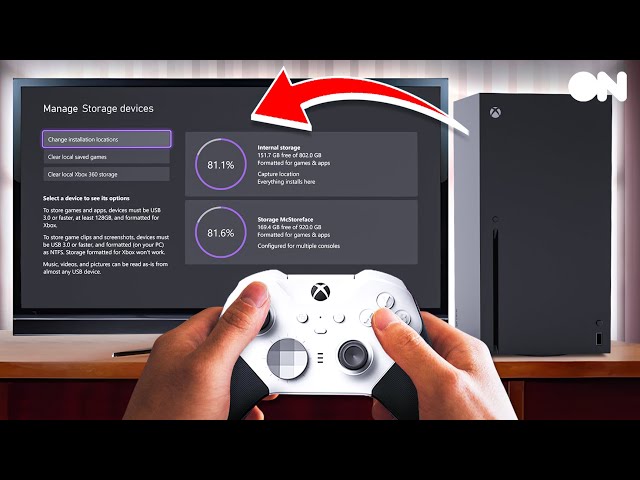

Mastering Xbox Storage Management
Effective xbox storage management is crucial when your drive is full, and with the right strategies, you can free up space and enjoy a seamless gaming experience. In this guide, we’ll walk you through the steps to manage your Xbox storage efficiently.
Understanding Your Storage Options
Before we dive into the nitty-gritty of xbox storage management, it’s essential to understand the storage options available for your Xbox Series S or Xbox Series X console. You can use the internal storage, expand it with a Storage Expansion Card, or utilize an external hard drive or SSD.
Internal Storage
The internal storage on your Xbox Series S is approximately 364GB, while the Xbox Series X has a larger internal storage capacity. However, with the growing size of games, it’s easy to fill up the internal storage quickly.
Storage Expansion Card
A Storage Expansion Card is a great way to increase your Xbox storage. To use it, simply remove the protective cover and plug it firmly into the Storage expansion slot on the back of your console.
Managing Your Storage
To manage your Xbox storage effectively, follow these steps:
- Check your current storage usage to identify which games and apps are taking up the most space.
- Consider deleting games or apps that you no longer play to free up space.
- Use the Storage Expansion Card to increase your storage capacity.
- Alternatively, you can use an external hard drive or SSD to store your games and apps.
- Port forwarding your Xbox can also help to improve your online gaming experience.
Pro tip: Regularly cleaning up your storage can help prevent your drive from becoming full and reduce the need for xbox storage management interventions.
External Storage Options
If you prefer to use an external hard drive or SSD, you can connect it to your Xbox via USB. This is a great option for storing older games or apps that you don’t play frequently.
Frequently Asked Questions
Here are some common questions about xbox storage management:
- Q: How can I increase my Xbox storage capacity?
- A: You can use a Storage Expansion Card, an external hard drive, or an SSD to increase your storage capacity.
- Q: Can I use an external hard drive to store my Xbox games?
- A: Yes, you can use an external hard drive to store your Xbox games, but make sure it’s compatible with your console.
- Q: How often should I clean up my Xbox storage?
- A: It’s a good idea to regularly clean up your Xbox storage to prevent your drive from becoming full and to improve your gaming experience.
Final Thoughts
Effective xbox storage management is essential for a seamless gaming experience. By understanding your storage options, managing your storage regularly, and using external storage options when needed, you can ensure that your Xbox drive never runs out of space. Remember to regularly clean up your storage, and don’t hesitate to use a Storage Expansion Card or external hard drive to increase your storage capacity. With these tips, you’ll be well on your way to mastering xbox storage management and enjoying a hassle-free gaming experience.