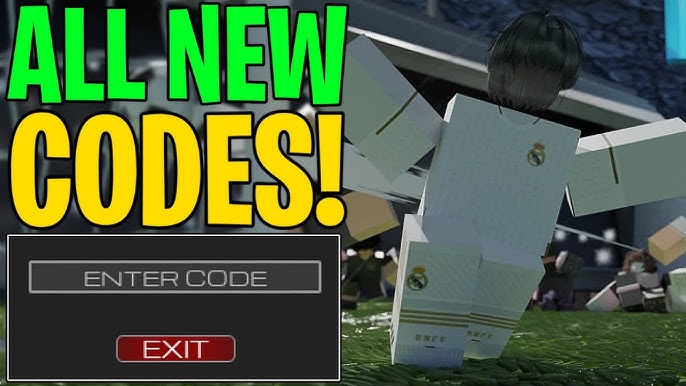

Getting Started with Freestyle Football Codes
Freestyle Football Codes are the key to unlocking free coins and exclusive items in the popular Roblox game. Before you dive into the world of tricks and tournaments, you need a solid foundation: a Roblox account, the Freestyle Football game installed, and a list of active codes. The latest August 2026 codes are fresh, meaning you can claim them right now for a quick boost.
Make sure you are logged into the correct Roblox account—codes are tied to the account that redeems them, not to a device. If you have multiple accounts, double‑check which one you want to reward.
Redeeming Your Freestyle Football Codes
Follow these numbered steps to claim every active code. The process is straightforward, but a few details can trip up new players.
- Launch Freestyle Football. Open Roblox, find Freestyle Football in your library, and click “Play.” The game loads to the main hub where the code redemption button lives.
- Locate the redemption UI. In the lower‑right corner of the screen, you’ll see a small envelope icon labeled “Codes.” Click it to open the input field.
- Enter a code exactly as shown. Copy and paste (or type) the code without extra spaces. For August 2026, the active list includes:
- ScissorSevenTuff – 50000 Coins
- SupaDupaThrow – 5000 Coins
- OzilBounce – 10000 Coins
- sorry4delay – 25000 Coins
- Confirm the redemption. After typing the code, press the “Redeem” button. A green confirmation will appear, and the coins are added to your balance instantly.
- Repeat for each code. You can redeem multiple codes in one session, but be aware that each code can only be used once per account.
- Check your wallet. Open the in‑game store or the coin counter at the top of the screen to verify that the rewards have been credited.
- Save the confirmation. Take a screenshot of the green confirmation for your records. Some players use this as proof when reporting bugs.
Pro Tips for Smooth Redemption
- Copy before you paste. Using your device’s clipboard reduces the chance of a typo, which is the most common reason a code fails.
- Redeem early. New codes expire quickly. The “ScissorSevenTuff” and “sorry4delay” codes were released this month and are already showing signs of deactivation in community forums.
- Combine with older codes. While the focus is on August 2026, you can still use June 2026 codes like GOLDEN (50000 Coins) and REWORKSOONMBALL (100000 Coins) if you haven’t claimed them yet.
- Watch for case sensitivity. The game treats upper‑ and lower‑case letters the same, but extra spaces will invalidate the entry.
- Stay on the main server. Some private servers disable code redemption. If you encounter an error, switch back to the official server and try again.
Maximizing Your Rewards
Now that you have a healthy coin stash, it’s time to put those coins to work. Freestyle Football offers a range of purchases—from custom ball skins to skill‑boosting packs. Here’s how to get the most bang for your buck.
- Prioritize cosmetic upgrades. Skins and emotes don’t affect gameplay balance, so they’re safe first purchases while you experiment with tricks.
- Invest in the Skill Pack. The Skill Pack provides a permanent 5% increase to trick success rates, a worthwhile investment once you have 100,000+ coins.
- Watch for limited‑time bundles. Every few weeks the game releases a bundle that includes a ball skin, a skill boost, and a small amount of coins at a discount. Use your freshly redeemed coins to snap these up before they rotate out.
- Save for the Season Pass. The Season Pass unlocks exclusive challenges and a guaranteed 200,000‑coin bonus at the end of the season. It’s a long‑term goal worth planning for.
- Participate in daily challenges. Daily challenges grant extra coins and occasionally rare items. With a larger coin pool, you can afford to retry challenges without worrying about running out of resources.
Pro Tips for Spending Wisely
- Set a budget. Decide how many coins you’ll allocate to cosmetics versus skill upgrades before you start shopping.
- Check the marketplace. Some player‑to‑player trades can give you rare items for fewer coins than the store price.
- Use the “Buy Later” feature. The game lets you reserve items for a limited time. Reserve high‑value items while you accumulate enough coins.
FAQ
What should I do if a code says “Invalid”?
First, double‑check that you typed the code exactly as shown, with no extra spaces. If the code is still rejected, it may have expired. Visit the official Freestyle Football Discord or the latest community post for updated code lists.
Can I use the same code on multiple accounts?
Yes, each Roblox account can redeem a code once. If you have several accounts, you can claim the same code on each of them, but you cannot reuse a code on the same account.
Do codes work on private servers?
Code redemption is typically disabled on private servers. Switch to the official public server, redeem your codes, then you can return to a private session if you wish.
Final Thoughts
Freestyle Football Codes are a simple yet powerful way to accelerate your progress in the game. By following the step‑by‑step guide above, you’ll claim every active August 2026 code, boost your coin balance, and set yourself up for long‑term success. Remember to act quickly—new codes appear and disappear faster than a perfect flip‑flop. Keep an eye on official channels, stay organized, and enjoy the thrill of pulling off those insane tricks with a wallet full of free coins.