In the vast expanse of space, Starfield brings Bethesda’s classic mechanics to life, allowing players to interact with the environment in unique ways. One of these intriguing mechanics is the ability to grab, rotate, and throw objects in the game. While Starfield doesn’t explicitly teach players these actions, they are essential for exploration and customization.
In this guide, we’ll delve into how to perform these actions and offer tips to maximize their utility.
How to Grab Items
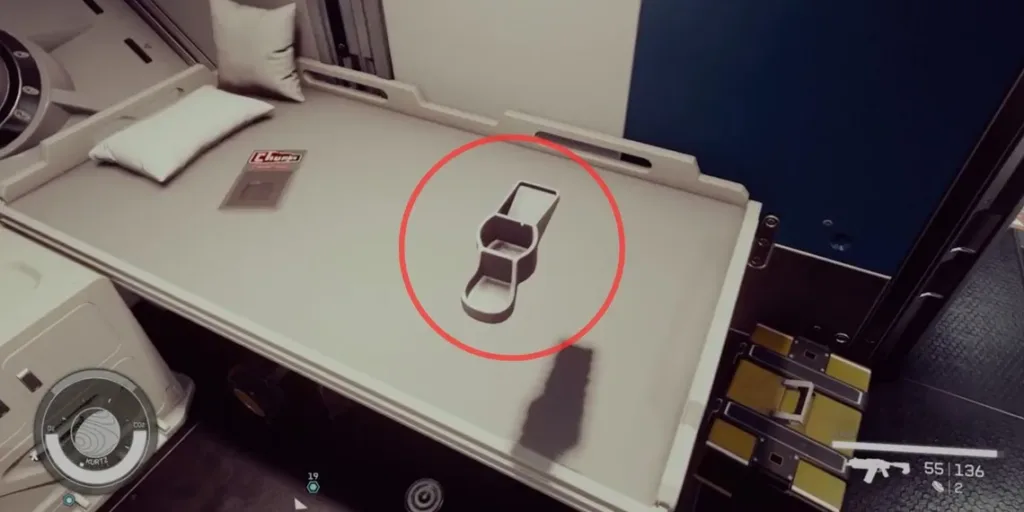
In Starfield, grabbing items is a straightforward process. To pick up an object, position your crosshair over it and hold the “A” button on Xbox or “E” on PC. Keep in mind that you need to be in close proximity to the object to interact with it. Interestingly, Starfield doesn’t provide an on-screen prompt for grabbable objects, so players must experiment and discover which items they can manipulate. Generally, explosives, barrels, and miscellaneous items are grabbable.
How to Throw Items
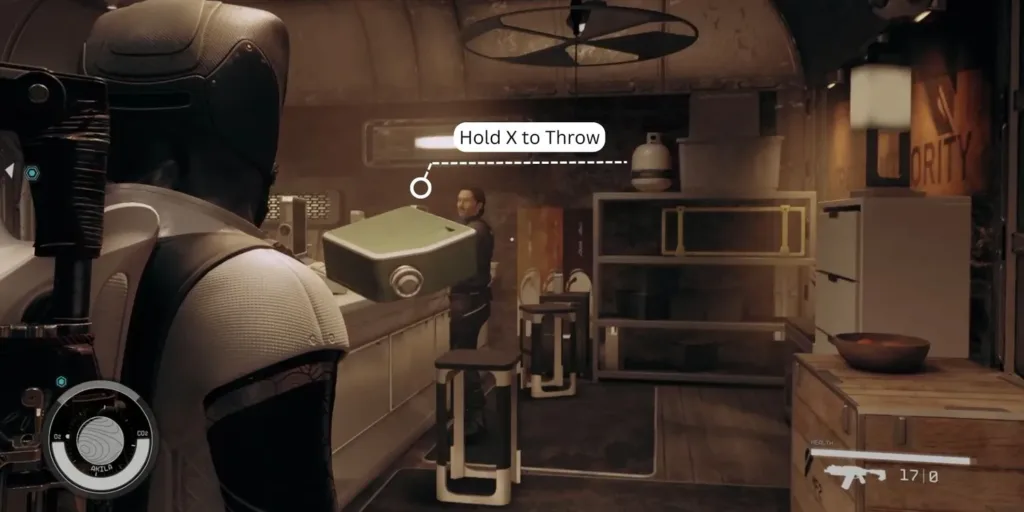
Once you’ve grabbed an item, you can throw it by holding down the “X” button on Xbox or “R” on PC. The longer you hold the button, the farther your throw will be, although gravity levels on different planets can affect the throw distance. This mechanic can be particularly useful in combat situations. Starfield features various flammable and detonating items, often marked by their red or blue color. Grabbing and throwing these items can function as makeshift grenades or traps, enabling you to eliminate enemies efficiently while conserving ammunition.
How to Rotate Items (in any Direction)

Customizing your spaceship’s interior is another exciting aspect of Starfield. To rotate items in any direction, follow these steps:
- After picking up an item, hold both the left and right triggers on Xbox or right-click and left-click on PC.
- To change the rotation axis on Xbox, press the left stick, and on PC, use the Shift key.
This rotation feature allows you to decorate your spaceship’s cockpit, arranging ornamental objects on shelves and counters as you see fit.
In Starfield, the ability to grab, rotate, and throw items adds depth to gameplay, offering new possibilities for exploration, combat, and personalization.
Experiment with these mechanics to uncover their full potential as you journey through the cosmos