Master the Art of Crafting Maps for Efficient Navigation and Coordination in Minecraft
Maps in Minecraft are indispensable tools, aiding players in understanding their surroundings and coordinating effectively, especially in multiplayer scenarios. Whether you’re embarking on solo adventures or collaborating with others, crafting maps is a skill every Minecraft player should possess. Here’s a comprehensive guide to help you create and customize maps tailored to your exploration needs.
Materials Needed to Craft a Map in Minecraft:
- Crafting Table: Create a crafting table using four wooden planks if you don’t already have one.
- Paper: Craft paper from sugar cane found near water sources in your world. Follow these steps:
- Collect sugar cane by breaking it with your hand or a tool.
- Open the crafting table.
- Place three sugar canes in the crafting grid to create three pieces of paper.
How to Craft a Map in Minecraft:
- Open the Crafting Table: Right-click (or use the corresponding trigger, depending on your platform) on your crafting table to access its interface.
- Place Paper in the Grid:
- In the crafting table, position the paper in the middle slot of the middle row of the 3×3 grid, leaving the other slots empty.
- Craft the Map: Click on the map icon displayed in the crafting table to create an empty map, which will be added to your inventory.
Customizing the Map (Optional):
- To increase the map’s coverage area, add more paper around the existing map in the crafting table. Each additional paper extends the map’s range.
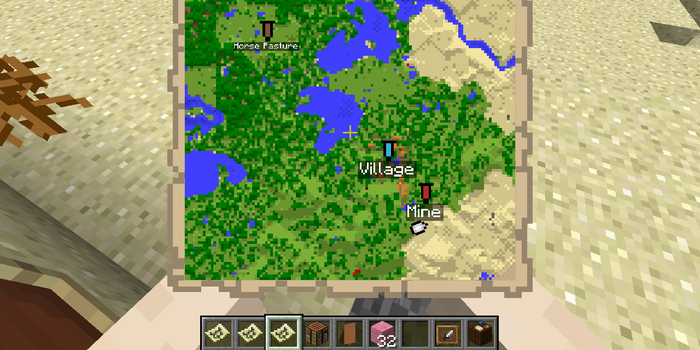
- Update your map by right-clicking it in your hotbar while exploring your world. This action fills in the map with the terrain you’ve covered.
Renaming the Map (Optional):
- Utilize an anvil to rename your map. Place the map and a name tag in the anvil’s input slots, then retrieve the renamed map from the output slot.

Congratulations! You’ve successfully crafted a map in Minecraft, a versatile tool for navigation, exploration, and collaboration. Keep in mind that maps are specific to the location where they were crafted; if you relocate, create a new map to reflect the new terrain accurately.