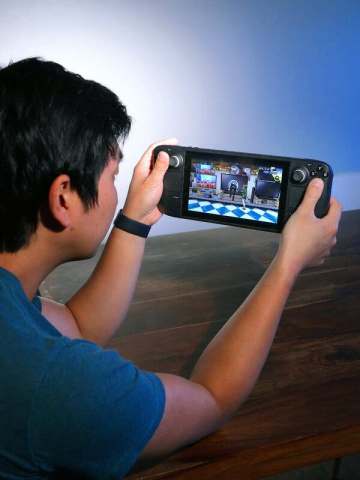
Steam Deck Players can finally ditch the bland, default Steam achievement pop‑ups and dress them up in the style of any console they love. A community‑built Decky plugin, released this week, lets handheld owners replace the familiar Steam toast with Xbox, PlayStation, Nintendo, or fully custom designs—all without leaving the Deck’s own UI.
Customizing Achievement Pop‑Ups: The New Decky Plugin
The plugin drops straight into the Decky store, the unofficial mod hub that powers countless Steam Deck tweaks. Once installed, a simple settings screen appears inside the Deck’s system menu, where users can pick a visual theme, upload their own graphics, or even sync a preset that mirrors the achievement notifications of rival platforms.
According to the creator, the tool works on the Deck’s Linux‑based OS but also syncs with the Steam mobile app and desktop client, meaning the same look travels with you wherever you play. This cross‑device consistency is a first for Steam’s achievement system, which has historically been locked to a single, utilitarian design.
How It Works
When an achievement triggers, the plugin intercepts the native Steam toast and swaps it for the chosen template. The replacement can include custom icons, platform‑specific sound cues, and even animated backgrounds. Because Decky runs as a user‑level daemon, the core Steam client remains untouched, preserving stability while offering a fresh visual layer.
Supported Styles
- Xbox‑style pop‑ups with the iconic green badge and chime.
- PlayStation‑style notifications featuring the silver trophy and synth‑wave sound.
- Nintendo‑style alerts that echo the bright, pastel aesthetic of the Switch.
- Fully custom layouts where users upload PNGs, set custom fonts, and define their own audio cues.
Each style is packaged as a separate “theme” that can be toggled on the fly, allowing Steam Deck Players to match the look of the game they’re currently playing or simply switch for fun.
Why It Matters for Gamers
Achievement pop‑ups have always been more than a simple “you did it” cue; they’re a social signal. Streamers showcase them in clips, friends brag about rare trophies, and collectors chase the visual satisfaction of a well‑timed notification. By giving users control over that visual language, the plugin turns a static UI element into a personal branding tool.
Community members have already begun sharing custom setups on Reddit and Discord, posting side‑by‑side videos that compare the original Steam toast to the new Xbox‑styled version. The ability to match a game’s native aesthetic—especially for cross‑platform titles—helps maintain immersion, a point many players have highlighted in early feedback.
Cross‑Platform Sharing
One of the most talked‑about benefits is the ease of sharing gameplay clips across platforms. With the new plugin, a Steam Deck Player can record a clip that shows an Xbox‑style achievement pop‑up, then post it on a PlayStation‑focused forum without the visual mismatch that previously gave away the source platform. This bridges the gap between console and handheld communities and encourages broader conversation about achievements.
Potential for Developers
While the plugin is community‑driven, its existence hints at a future where developers might offer native achievement skins. The plugin already groups achievements by mode, character class, or other metadata—features that could be exposed through an official API. If Valve ever embraces this flexibility, we could see a marketplace of achievement themes, turning a simple toast into a revenue stream.
FAQ
Can I use the plugin on the handheld itself?
Yes. The Decky store is accessed directly from the Steam Deck’s system menu, and the plugin installs without needing a PC. Once active, the new pop‑up styles appear instantly on the handheld screen.
Do I need a PC to set up custom graphics?
No. While the plugin’s UI is available on the Deck, you can also edit themes via the Steam mobile app or desktop client. Uploading custom PNGs or audio files can be done from any device that syncs with your Steam account.
Is there a cost associated with the plugin?
The core plugin is free and open‑source. Some community‑created theme packs are offered on a donation basis, but none are required to use the basic Xbox, PlayStation, or Nintendo styles.
Final Thoughts
For Steam Deck Players who have long craved a more personalized achievement experience, this Decky plugin hits the sweet spot. It blends technical elegance with creative freedom, letting users align their handheld’s UI with the aesthetic of any console ecosystem. As the Steam Deck continues to mature, community‑driven tools like this one prove that the platform’s greatest strength lies in its openness—turning a simple notification into a canvas for self‑expression.