• About
  • Advertise
  • Privacy & Policy
  • Contact
Console Chronicle
  • Home
  • PC
  • PlayStation
  • Xbox
  • Nintendo Switch
  • Mobile
  • Esports
  • Anime and Manga
No Result
View All Result
  • Home
  • PC
  • PlayStation
  • Xbox
  • Nintendo Switch
  • Mobile
  • Esports
  • Anime and Manga
No Result
View All Result
Console Chronicle
No Result
View All Result

Mortal Kombat 1: How to Play with Friends Online and Offline

owaizkh by owaizkh
April 12, 2025
in PC
0 0
0
0
SHARES
20
VIEWS
Share on FacebookShare on Twitter

Explore the joy of playing with friends in Mortal Kombat 1, whether online or offline, and grasp Versus mode intricacies.

(Credit: Vicky’s Blog)

In Mortal Kombat 1, the joy of clashing with friends takes center stage. This guide simplifies the process of inviting friends to your battles, setting up local matches, and diving into the world of Versus mode, clarifying the distinction between playing with friends or random players.

Playing Online with Friends in Mortal Kombat 1:
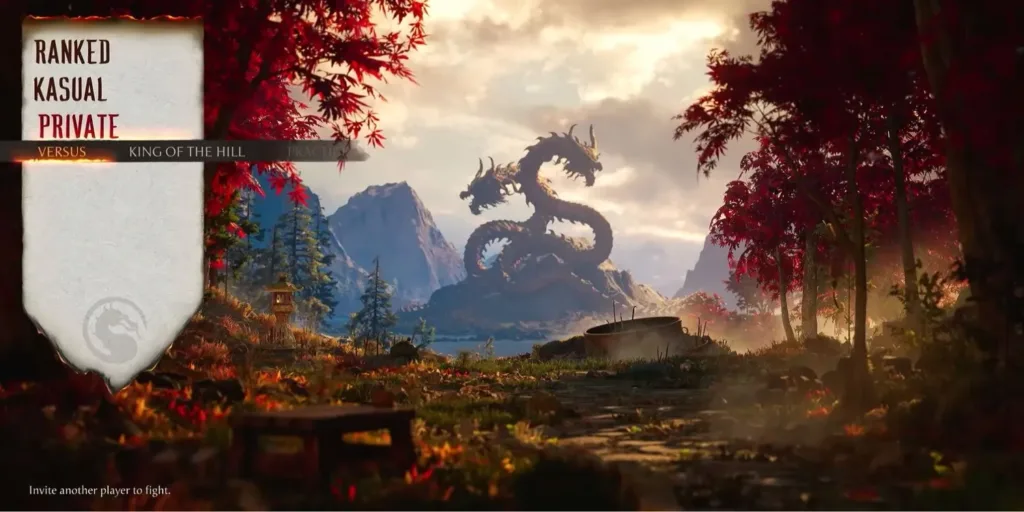
To engage in thrilling online bouts with friends in MK1, navigate to the “Versus” section on the main menu and select “Private” under the Online tab. This step opens up your friends list, allowing you to send invites to pals for private lobbies where you can engage in standard 1v1 battles or intense King of the Hill matches.

Playing Online with Random Players:
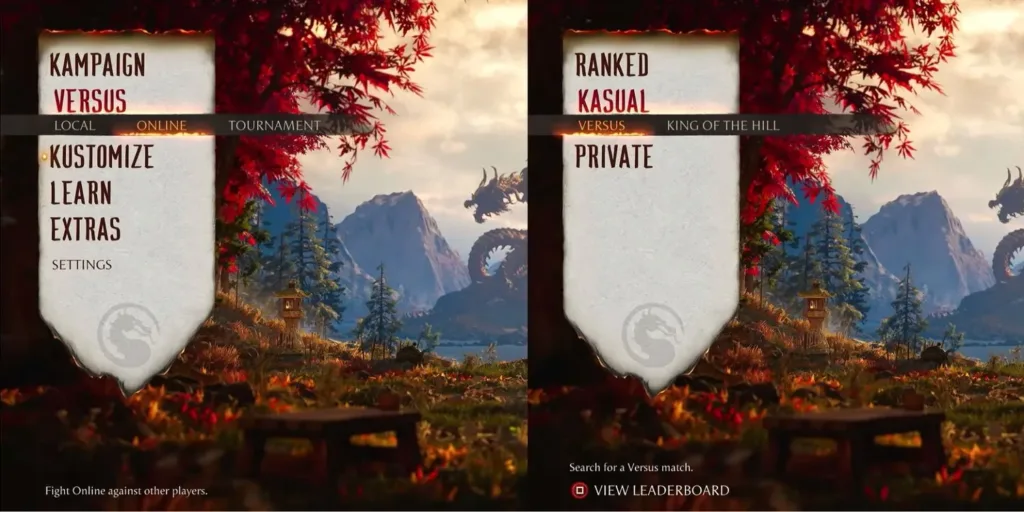
For the excitement of random matchmaking, simply opt for the Kasual mode. Find this mode in the “Versus” section on the main menu under the “Online” option. Kasual mode provides two choices: Versus mode for skill-based matchmaking or King of the Hill for a dynamic eight-player lobby where you aim to dethrone the reigning champion and earn Respect Points.

Playing Offline with Friends:
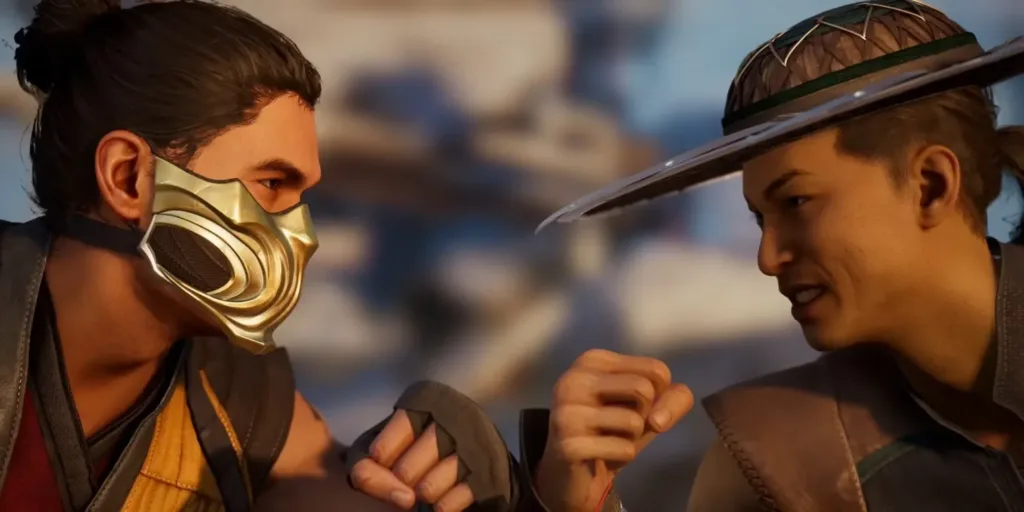
Dive into local multiplayer combat with friends by following these straightforward steps:

  1. Access the Versus menu.
  2. Select the “Local” option.
  3. Connect a second controller.
  4. Choose your desired character and Kameo (if applicable) to commence your offline duel.

Enabling Crossplay in Mortal Kombat 1:
While Mortal Kombat 1 does not currently support crossplay, developers have promised future updates that will introduce this feature. This update will let players engage in combat with friends across various platforms, including consoles and PCs.

Conclusion: Mortal Kombat 1’s Versus mode opens up a world of combat possibilities, whether you want to test your skills against friends or challenge unknown adversaries. This guide empowers you to make the most of online and offline multiplayer experiences, ensuring countless hours of thrilling battles with your comrades.

Mortal Kombat 1 is available on PC, PS5, Xbox Series X/S, and Nintendo Switch.

Share this:

  • Share on Facebook (Opens in new window) Facebook
  • Share on X (Opens in new window) X

Like this:

Like Loading...

Related

Tags: Gaming with FriendsMortal Kombat 1Mortal Kombat 1 TipsOnline Multiplayer
Previous Post

Mortal Kombat 1: Master the Art of Taunting and Unlock New Mocking Moves

Next Post

Mortal Kombat 1 Brutalities: Master the Art of Sudden Victory

owaizkh

owaizkh

Next Post

Mortal Kombat 1 Brutalities: Master the Art of Sudden Victory

Leave a ReplyCancel reply

Latest - Anime & Manga

Amazon introduces AI-made English dubbing for Banana Fish

Amazon introduces AI-made English dubbing for Banana Fish

December 1, 2025
New Girls Band Cry movie officially announced

New Girls Band Cry movie officially announced

September 24, 2025
DAN DA DAN Season 3

DAN DA DAN Season 3 Officially Announced

September 23, 2025

Jujutsu Kaisen Season 3 Trailer Confirms Split Release, Premieres January 2026

September 19, 2025
DAN DA DAN: Evil Eye Sets Early Fan Screening Dates in the Philippines

DAN DA DAN: Evil Eye Sets Early Fan Screening Dates in the Philippines

May 22, 2025
Takopi’s Original Sin Unveils Main Visual, Trailer, June 28 Release, and 6 Episodes Total

Takopi’s Original Sin Unveils Main Visual, Trailer, June 28 Release, and 6 Episodes Total

May 22, 2025
Console Chronicle

© 2026 JNews - Premium WordPress news & magazine theme by Jegtheme.

Navigate Site

  • Home
  • PC
  • PlayStation
  • Xbox
  • Nintendo Switch
  • Mobile
  • Esports
  • Anime and Manga

Follow Us

Welcome Back!

Login to your account below

Forgotten Password? Sign Up

Create New Account!

Fill the forms below to register

All fields are required. Log In

Retrieve your password

Please enter your username or email address to reset your password.

Log In

Add New Playlist

No Result
View All Result
  • Home
  • PC
  • PlayStation
  • Xbox
  • Nintendo Switch
  • Mobile
  • Esports
  • Anime and Manga

© 2026 JNews - Premium WordPress news & magazine theme by Jegtheme.

Discover more from Console Chronicle

Subscribe now to keep reading and get access to the full archive.

Continue reading


Loading Comments...
 

    %d