


Star Wars Outlaws has captivated players with its immersive universe, though it may not match the visual splendor of games like Avatar: Frontiers of Pandora or Horizon: Forbidden West. Still, for those looking to elevate their visual experience beyond the standard “Ultra” preset, there’s a hidden gem within the game: the “Outlaw” graphics preset. Here’s how you can unlock and experience this exclusive setting on PC.
What is the Outlaw Graphics Preset in Star Wars Outlaws?
If the Ultra graphics preset in Star Wars Outlaws hasn’t quite satisfied your desire for high-end visuals, the Outlaw preset might be the solution. This secret setting is akin to the hidden “Unobtanium” preset found in Avatar: Frontiers of Pandora. The Outlaw preset offers a more demanding and visually stunning experience, but it’s reserved solely for PC players due to its high hardware requirements. Xbox and PlayStation users will not have access to this feature.
How to Unlock the Outlaw Graphics Preset
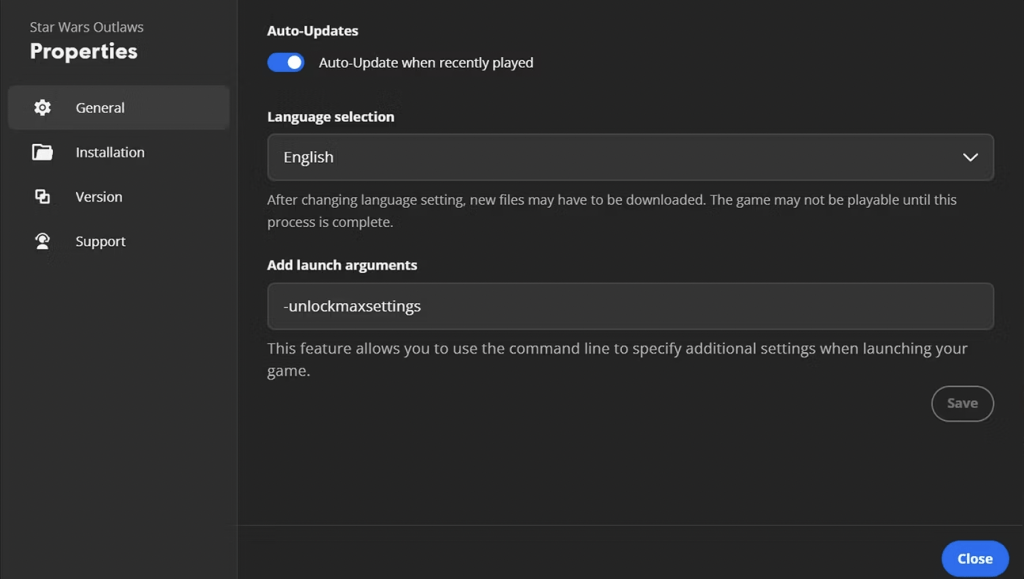
To activate the hidden Outlaw graphics preset, follow these steps:
- Open Ubisoft Connect: Previously known as Uplay, this is where you’ll manage your game settings.
- Locate Star Wars Outlaws: Find the game in your library.
- Access Properties: Right-click on the game, hover over “Manage,” and select “Properties.”
- Add Launch Arguments: In the General tab, find the textbox under “Add launch arguments” and enter the following command exactly as shown (without quotation marks):
- Save and Close: Click “Save” and then close the window.
After setting this up, proceed as follows:
- Open the Game.
- Navigate to Settings.
- Go to Graphics.
- Select the Outlaw Preset: Choose “Outlaw” from the Quality options.
- Save Your Changes: Press “G” to confirm.
You’re now set to enjoy Star Wars Outlaws with the enhanced Outlaw graphics preset.
Performance Impact of the Outlaw Graphics Preset
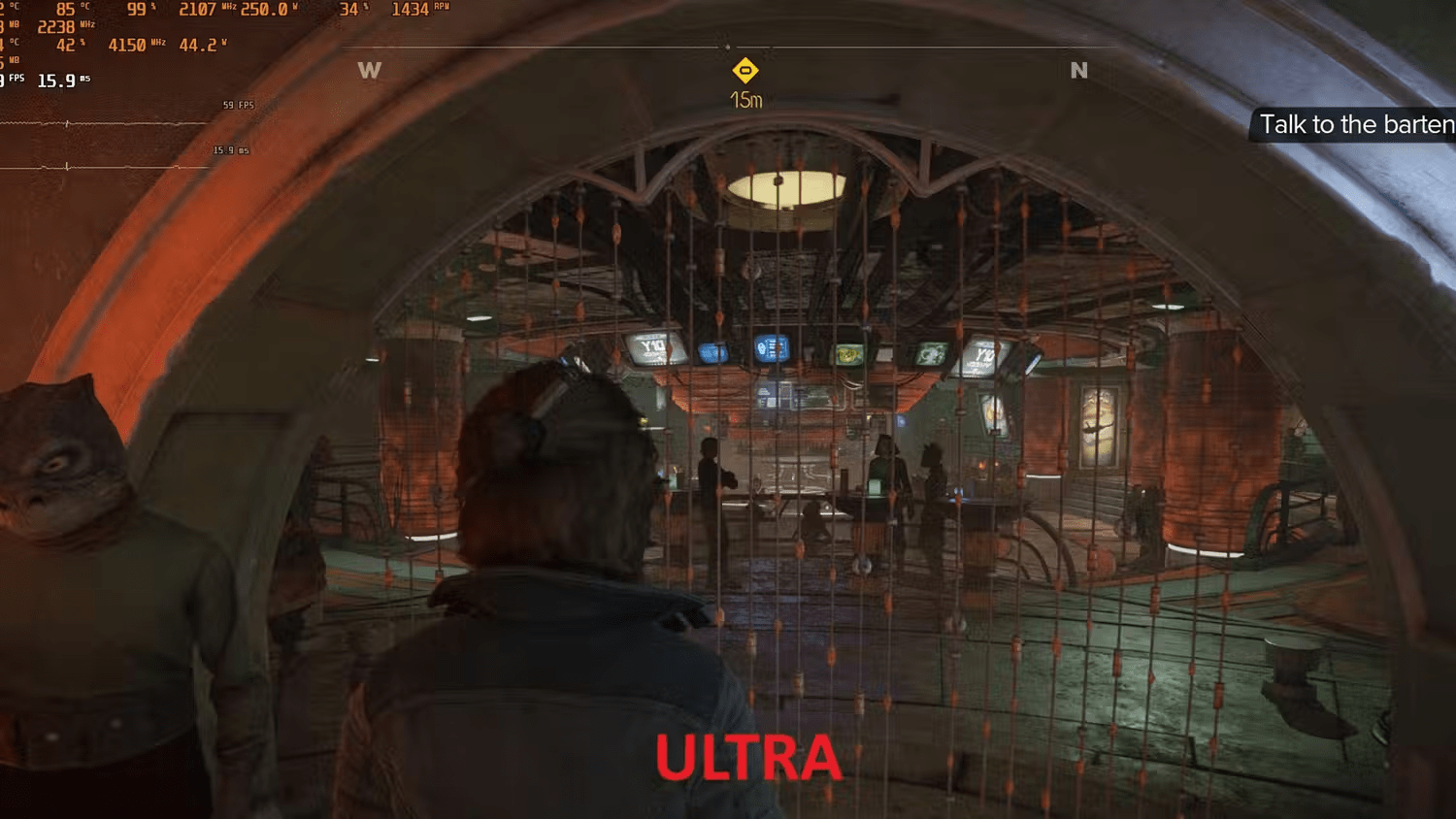

The Outlaw preset is known for its demanding nature, significantly impacting performance. During testing with an AMD Radeon RX 7900 GRE at 1080p, the frame rate dropped from 59 FPS on the Ultra preset to just 25 FPS on Outlaw. This preset is designed more for future-proofing and pushing the boundaries of current hardware capabilities.
For most players, the Ultra setting should suffice, providing a visually rich experience without overwhelming your system. The Outlaw preset is best suited for those who want to capture breathtaking visuals in Photo Mode or for future players equipped with next-generation GPUs. Even high-end GPUs like the RTX 4090 may struggle to maintain 60 FPS at resolutions like 4K or 1440p with this preset. However, if you are using a 4090 and playing at 1080p, you might achieve slightly better performance.
In summary, the Outlaw preset offers an extraordinary level of detail for those who want to push their system to its limits or capture stunning in-game visuals. For everyone else, the Ultra preset remains an excellent choice for high-quality graphics without sacrificing performance.



