Engaging in PvP (Player versus Player) gameplay in Minecraft involves navigating diverse terrains, leveraging available resources, and strategically utilizing structures within the world. Given the varied preferences players have for PvP experiences, whether in open landscapes or fortified bases, exploring the best PvP seeds becomes essential. Here are noteworthy recommendations for Minecraft enthusiasts seeking an enhanced PvP adventure:
Top PvP Seeds in Minecraft
- Seed: -5930464648540265214
- Features: Spawns players on a flat island surrounded by water, creating an ideal setting for PvP battles with open terrain and limited escape routes. Nearby forests offer resources for construction and crafting.
- Seed: 1061024610551146240
- Features: Spawn near a desert village and two desert pyramids, providing strategic locations for PvP encounters. The pyramids also house valuable resources such as gold and emeralds.
- Seed: -5694368681594500133
- Features: Immediate proximity to a pillager outpost, a hostile structure perfect for intense central battlegrounds. Pillagers not only offer experience but also valuable loot drops.
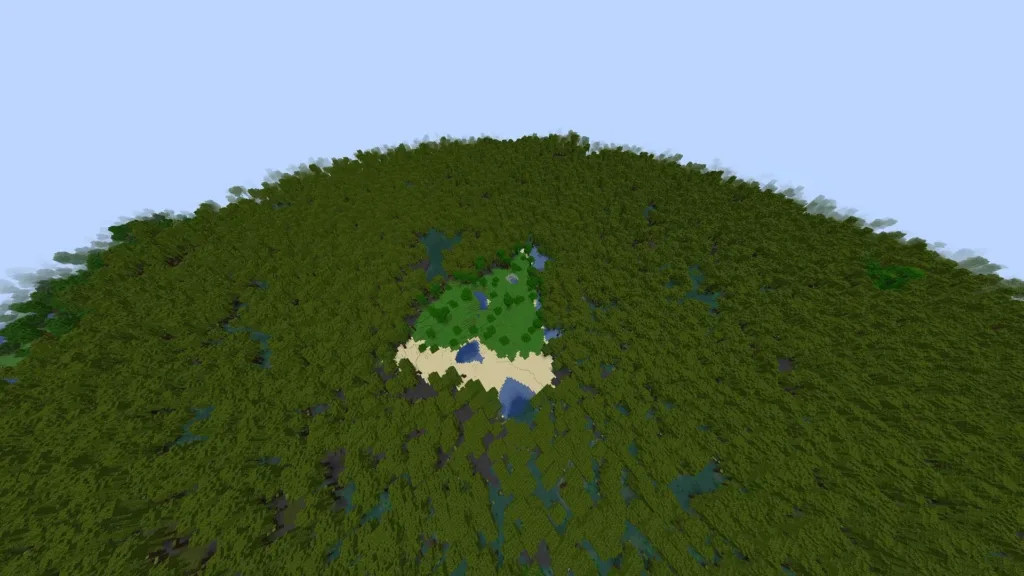
- Seed: 441901950
- Features: Spawn on a dark forest island, creating an atmospheric and challenging PvP environment. The dark forest provides resources like wood and coal but introduces dangers such as hostile mobs and limited visibility.
- Seed: -4862916498292699168
- Features: Close proximity to a stronghold, an endgame structure suitable for high-stakes PvP encounters. The stronghold yields valuable loot, including enchanted bows and ender pearls, but poses risks due to its hostile inhabitants.
These seeds offer diverse PvP experiences, ranging from open-field battles on isolated islands to strategic clashes around valuable structures. Players can choose a seed aligned with their preferred playstyle and embark on an exciting PvP adventure!
How to Enter a PvP Seed in Minecraft

Joining a seed in Minecraft involves creating a new world using a specific seed value, determining the world’s layout and characteristics. Here’s a step-by-step guide on how to join a seed in Minecraft:
- Launch Minecraft: Open the Minecraft launcher on your device.
- Start a New World: Click “Play” to access the Worlds menu. To create a new world, click “Create New World.”
- World Creation Menu: In the world creation menu, locate the “Seed” field, typically under “More World Options” or a similar section.
- Enter the Seed: Input the seed value you want to use. Seeds are alphanumeric strings, either discovered personally or shared by other players.
- Customize Other Settings (Optional): Adjust additional settings like world type, game mode, difficulty, etc.
- Create World: Click “Create New World” or a similar button to generate your world using the specified seed.
- Explore Your New World: The game generates a world based on the seed. Explore the unique terrain, biomes, and structures associated with that seed.
Note: Minecraft versions may have slight variations in world generation, so ensure compatibility with your version. For specific seeds or recommendations, explore Minecraft community forums, websites, or social media platforms where players share favorite seeds and experiences.
For the latest gaming updates and news, don’t forget to visit our dedicated gaming page. Minecraft UPDATES Stay informed and level up your gaming experience with our fresh content!